
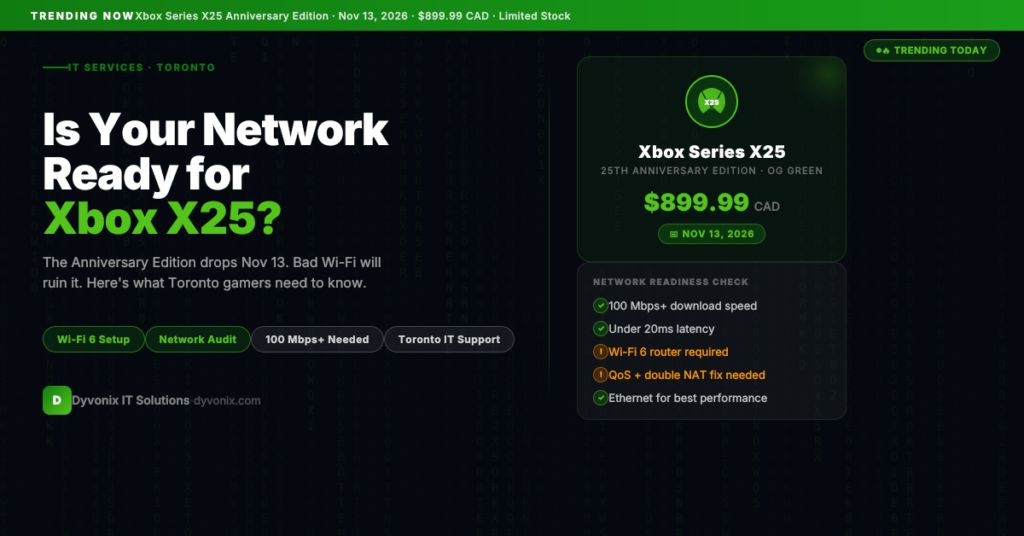
Microsoft just launched the Xbox Series X25 Anniversary Edition — a limited-edition console celebrating 25 years of Xbox, wrapped in a translucent “OG Green” shell with individually engraved numbering, bundled with a matching controller and Halo: Campaign Evolved. It drops November 13, 2026 at $899.99 CAD, and the first batch sold out in under a minute.
If you’re one of the lucky ones who snagged a preorder — or you’re planning to grab one when more stock appears — there’s one thing that will make or break your experience that has nothing to do with the console itself:
Your network.
Why Your Network Matters More Than You Think
The Xbox Series X25 is a streaming-capable, cloud-gaming, Always Online device. It is built for:
- Xbox Game Pass Ultimate — streaming AAA titles directly from Microsoft’s servers
- Xbox Cloud Gaming — playing without even downloading the game
- 4K HDR gaming — which can push 50–80 Mbps sustained on a single device
- Party chat and multiplayer — real-time latency-sensitive traffic running simultaneously with gameplay
A weak network doesn’t just mean slightly worse performance. It means rubber-banding during multiplayer, stream quality drops mid-game, 20+ minute update downloads before you can play, and lag that makes competitive gaming unplayable.
What “Good Enough” Actually Looks Like for the Xbox Series X25
Here’s what Microsoft recommends — and what we actually see working well in practice:
| Requirement | Minimum | Recommended for Series X25 |
|---|---|---|
| Download speed | 25 Mbps | 100 Mbps+ |
| Upload speed | 5 Mbps | 20 Mbps+ |
| Latency (ping) | Under 150ms | Under 20ms |
| Packet loss | Under 5% | Under 1% |
| Wi-Fi standard | Wi-Fi 5 (802.11ac) | Wi-Fi 6 (802.11ax) |
If your home router is more than 4–5 years old, there’s a good chance it doesn’t meet the “recommended” column — even if your internet plan does.
The 5 Most Common Network Problems That Ruin a Gaming Experience
1. Your Router Is the Bottleneck, Not Your ISP
Most Toronto homes have decent internet service — Rogers Ignite, Bell Fibe, or Distributel packages deliver 100–1000 Mbps to your modem. But the router sitting between your modem and your devices is often a cheap ISP-provided unit from 2019 that’s broadcasting Wi-Fi 5 at 2.4GHz and handling 30+ devices simultaneously.
The result: your 500 Mbps internet plan delivers 60 Mbps to your Xbox because the router is the actual chokepoint.
2. Wrong Frequency Band
Most modern routers broadcast on both 2.4GHz and 5GHz. The 2.4GHz band travels farther through walls but is significantly slower and heavily congested in Toronto apartment buildings, where every unit has its own router broadcasting on the same channels.
For a gaming device, you want 5GHz or Wi-Fi 6 (6GHz) — shorter range, far less interference, much higher throughput.
3. No QoS (Quality of Service) Configuration
If multiple people are using the network simultaneously — video calls, Netflix, another device downloading an update — your Xbox is competing for bandwidth on equal terms with everything else. Without QoS, a large file download on a laptop can spike latency on your Xbox mid-match.
QoS lets the router prioritize gaming traffic so your game gets low-latency bandwidth even when the network is busy.
4. Double NAT
Many Toronto homes end up in a “double NAT” situation — the ISP’s modem has a router built in, and then a second router is connected to it. The result: your Xbox is behind two levels of NAT, which causes connection issues with multiplayer, party chat, and Xbox Live features.
This is fixable, but it requires configuring the ISP modem into bridge mode or setting up proper DMZ rules.
5. Ethernet vs. Wi-Fi
For competitive gaming, wired Ethernet eliminates latency variability entirely. A Wi-Fi 6 connection might average 8ms latency, but it will occasionally spike to 40–80ms. A gigabit Ethernet connection stays flat at 1–2ms consistently.
If your Xbox is going to sit in a fixed location, running a Cat6 cable is the single highest-ROI improvement you can make to your gaming experience.
What About Game Cafés and Esports Lounges?
Toronto’s esports and gaming café scene has grown significantly over the last few years. The Xbox Series X25 is the kind of console that gaming businesses will want to offer as a premium experience.
For a commercial setup — whether you’re running 5 consoles or 50 — network requirements are entirely different from a home setup:
- Managed switches to segment gaming traffic from POS, security camera, and admin systems
- Commercial-grade Wi-Fi access points (Ubiquiti, Meraki, or Aruba) rather than consumer routers
- Proper VLAN configuration to prevent console traffic from interfering with business systems
- Static IP assignments or DHCP reservations for each gaming station
- Bandwidth monitoring so you can see which devices are consuming your pipe
A consumer router from Best Buy is not designed for this environment. It will overheat, drop connections, and fail under load.
How Dyvonix IT Solutions Can Help
Whether you’re setting up the Xbox Series X25 at home or building a commercial gaming environment in Toronto, Dyvonix IT Solutions can help you get the network right the first time.
For home and home office setups:
- Network audit — we test your current router, Wi-Fi coverage, speed, and latency from each room
- Router upgrade and configuration — including QoS, proper frequency band assignment, and NAT fix
- Ethernet installation for fixed devices (gaming consoles, smart TVs, desktop PCs)
- Wi-Fi 6 access point setup for the rest of the home
For businesses, game cafés, and esports venues:
- Commercial network design and implementation
- Managed switch and VLAN configuration
- Business-grade Wi-Fi deployment
- Ongoing managed IT support so network problems get fixed before they affect your customers
Book a free network assessment →
Or learn more about our networking and IT support services for Toronto businesses →
Don’t Let a Bad Network Waste a $900 Console
The Xbox Series X25 is one of the most talked-about pieces of hardware this fall. If you’ve invested in one — or you’re planning to — make sure your network is actually ready for what it was built to do.
A 30-minute network assessment from Dyvonix IT Solutions will tell you exactly where you stand and what it would take to get the best possible experience.
Sources: Xbox Series X25 Anniversary Console Details — Tech Insider · Xbox Series X25 Announced — Pure Xbox · Xbox Series X25 Release Date & Features — IBTimes
